Release notes
🎨 Personal and Brand Accent Colors
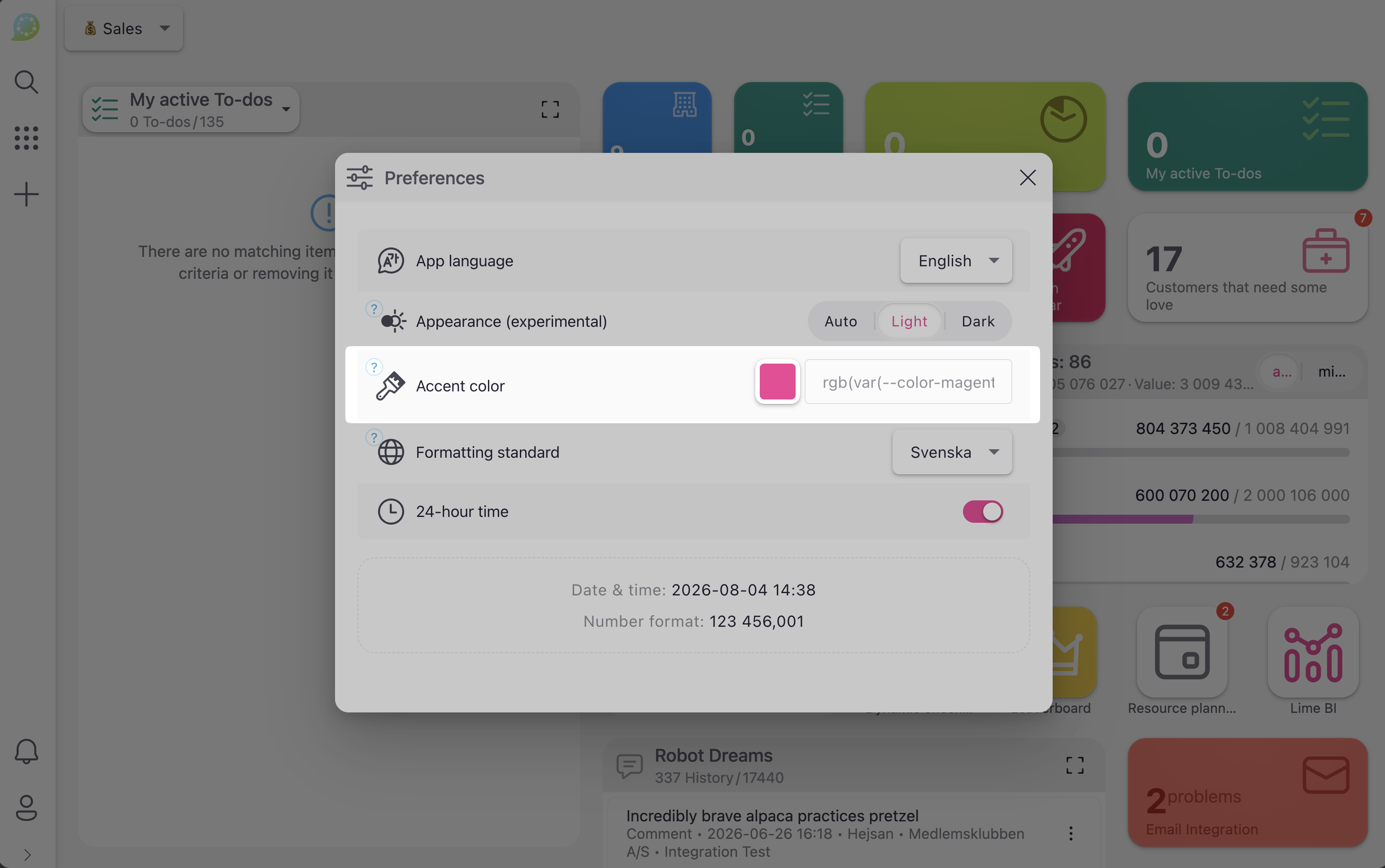
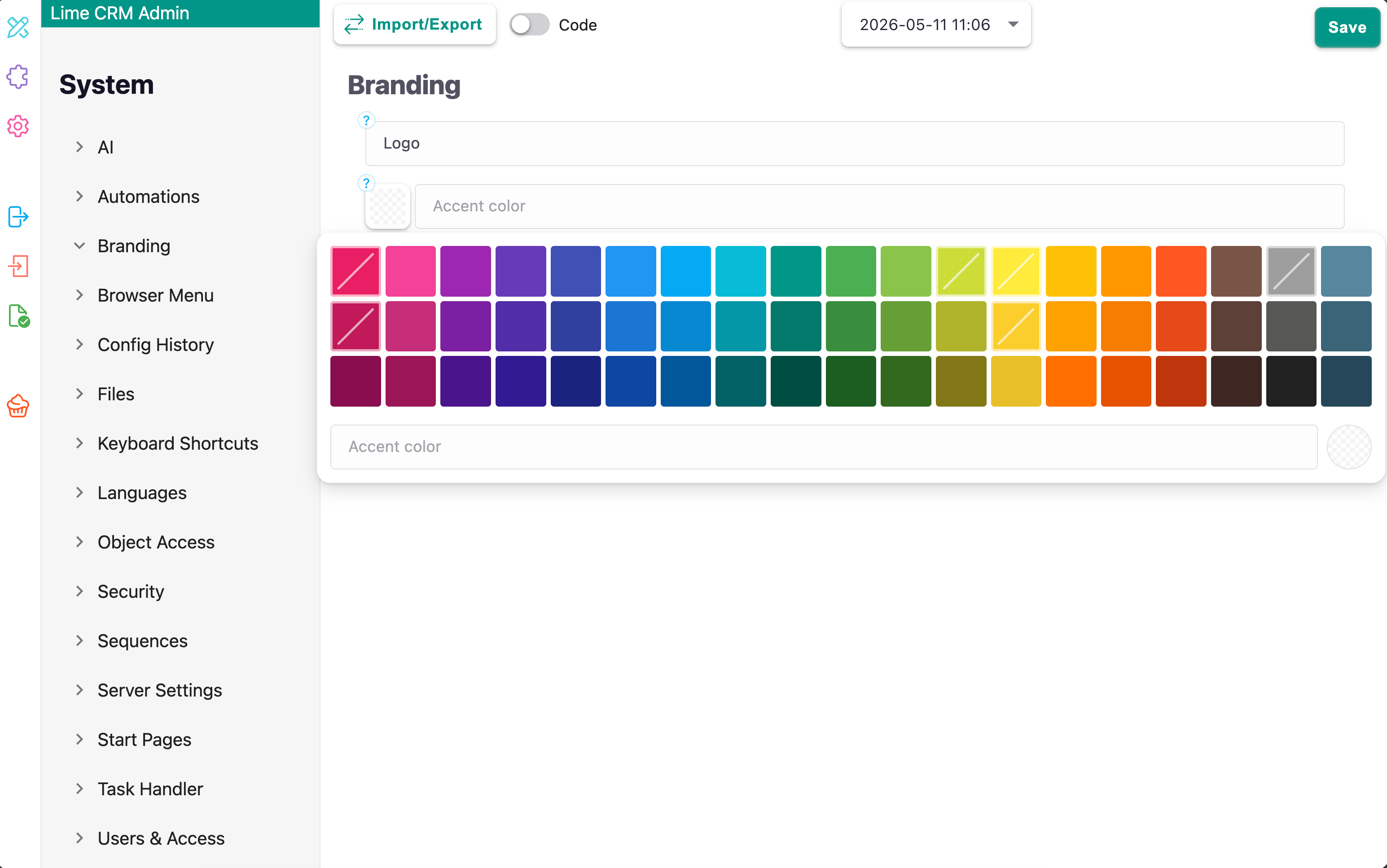
Users can now choose a personal accent color in their preferences, and admins can set a brand color for the whole organization. Changes apply immediately, with no page reload needed.
How to enable:
Set a personal accent color under User Preferences, or configure a brand color for everyone in Lime Admin.
🚨 Users Can Finally See What's Wrong When a Form Won't Save
For as long as anyone can remember, an invalid form just showed a greyed-out Save button — with zero explanation. Say an admin decides a field should suddenly be required: users going about their day have no idea, and their only clue is a tiny asterisk next to the field label, easy to miss entirely when the field is hidden inside a collapsed section. Users would just see Save refusing to do anything, naturally assume something was broken in Lime, and contact support. It's been a steady source of support tickets for ages.
Those days are over. The Save button now tells users exactly what's wrong and where to look.
What's New:
- The Save button stays clickable even when the form is invalid, instead of just going grey.
- While invalid, it turns red with an error icon, and its tooltip explains why: "Cannot save — 1 field needs your attention" (or a count when there are several).
- Clicking it while invalid highlights every problem field in red — even ones hidden inside a collapsed section — and the button gives a quick shake, so it's clear the click was rejected, not ignored.
- Fixing the fields, or discarding changes, returns everything to normal.
🗂️ Other Notable Additions
- Shared files across records: A file can now be attached to — and shared between — multiple records instead of belonging to just one.
- OneDrive as file storage: File storage and file migration can now use OneDrive as an additional storage location.
- Drag-and-drop table rows: Rows in a table view can now be reordered by dragging them, and this can be combined with selecting multiple rows.
- New Admin keeps closing the gap: The New Admin interface now includes save/discard-changes buttons, a system information panel, scrollable code fields, working deep links, and a link back to the classic Lime Admin for anything not yet available in the new one.
- Better in-browser diagnostics: Improved logging in the browser makes it easier for Lime support to diagnose issues when something goes wrong.
- Icon and color auto-completion: Forms and Lime Admin now offer auto-complete suggestions for icon names, and there's a new picker for choosing from a set of predefined colors.
- Automations import/export: Automations can now be exported to a file and imported back in, making it easier to move an automation setup between environments or share it with someone else.
Closed bugs
Automations
- Automation names generated from record data now handle special characters (such as å, ä, ö) correctly instead of stripping them out.
- Errors in an automation's configuration are now shown directly in the automation's run log, making it easier to see why it failed (#4641).
- Automations no longer fail to run when a time value has extra leading or trailing spaces.
- Fixed incorrect handling of time-only fields, which could cause automations to compare or trigger on the wrong time (#4575).
- If a custom automation encounters an error while processing an event, it no longer brings down the background process handling it — other automations keep running as normal (#4604).
- Fixed the query builder incorrectly treating "no limit set" the same as "show zero results."
- Users can no longer run a query against a record type they don't have access to.
Layouts & Table Views
- Tables and record lists now load noticeably faster, with fewer unnecessary reloads when sorting, changing pages, or making quick layout changes.
- Columns a user doesn't have access to are now simply left out of a table instead of causing the whole table to fail to load.
- Fixed sorting occasionally getting stuck and repeatedly re-triggering itself, and the page/row count footer now updates correctly when the number of rows changes.
- Fixed sorting not working correctly when the data is sorted on the server, and the selected row is now highlighted consistently.
- Sort options are no longer shown for columns that aren't part of the current layout, and sorting now falls back to another available column if the configured one becomes unavailable.
- Layouts are now checked for errors before they can be saved.
- Fixed the default layout occasionally resetting unexpectedly when a page was freshly loaded.
- Selected records are now automatically deselected after a bulk delete.
Kanban
- Kanban cards now show more information at a glance, and reliably load the assigned coworker's details.
- Kanban cards can now be opened using the Enter key, can show custom content, and no longer appear broken when there's no data to display.
- Kanban and table cells now handle invalid dates and empty values more gracefully, showing a dash instead of an error.
Activity Feed
- Fixed the activity feed occasionally getting stuck expanding and collapsing on its own, and it now switches to a wider, horizontal layout when there's enough space.
- The file-upload option in the feed's message composer is now hidden when uploading isn't supported for that context, and drag-and-drop file upload works again in custom composers.
- Records that could previously show up more than once in the feed are no longer duplicated.
- Fixed an error that could occur when several people were following the same type of record.
File Viewer & Live Docs
- Fixed fullscreen preview failing in browsers that don't support it, and added a clear "file not found" message when an email attachment fails to load.
- Improved error handling for PDF previews, and the browser now frees up memory correctly when switching between previewed files.
- Fixed dates in the email viewer overflowing their space or overlapping the download button; dates are now shown in a familiar email-style format instead of a raw timestamp.
- Fixed an issue that could prevent attaching a file already attached elsewhere; the system now only blocks attaching the same file to a different field, and properly checks access before attaching (#4638).
- File migration no longer needlessly re-migrates files that are already stored in the right place (#4429).
Text & Code Editors
- Custom content is no longer lost when empty paragraphs are cleaned up, and any embedded style tags are now stripped for security (#3902).
- Custom content is no longer needlessly rebuilt every time a value updates, and code blocks no longer overflow or break awkwardly at the end of a line (#237).
- The text editor no longer scrolls sideways unexpectedly, and its suggestion list no longer runs off the edge of the screen (#1329).
- Image height is now preserved correctly when pasting formatted text that contains images (#788).
- Fixed the "@mention" suggestion popup appearing in the wrong place while typing, and disabled suggestions now stay disabled (#1333).
Charts & Visualizations
- Fixed numbers formatted with a space or comma (e.g. "1 234,5") being misread in percentage and trend indicators.
- Fixed a small error in the color ranges used by percentage indicators.
General Usability
- Fixed a rare issue where the Save button in a record dialog could be briefly unresponsive right after opening.
- A dialog with saved tabs no longer breaks if one of those tabs no longer exists — it now falls back to the first available tab.
- Fixed several issues in search/selection fields: typed text is no longer lost when picking from a multi-select list, pressing Esc now clears the typed text before closing the list, and the "no results" message now displays at the correct size.
- The date picker no longer changes its value when it's set to read-only or disabled.
- Dropdown menus no longer scroll the whole page to the top when opened; multi-select dropdowns on mobile now use an easier-to-use design; and a dropdown with a stored value that no longer matches any option no longer breaks (#3831, #420).
- Fixed several issues with removable tags: locked tags can no longer be removed by mistake, clicking a tag no longer accidentally puts it into edit mode, and a single long tag now fills the available space correctly.
- Fixed layout and accessibility issues with grouped buttons, including buttons not disabling correctly and labels not filling the full clickable area (#3972).
- After closing a menu or popup, keyboard focus now correctly returns to whatever button opened it.
- Improved screen-reader announcements for pop-up notifications (#2014).
- Color swatches now display correctly in small color pickers.
- Fixed a visual glitch in Lime Admin where text in an expanded menu item could show through the background.
Search
- The search index now correctly supports very large numbers instead of failing.
- Fixed "Recently visited" sometimes opening the wrong record when items had similar references (#232).
User Management & Login
- Only currently active languages are now shown in the language selector, with a sensible fallback if a user's saved language is no longer active (#904, #906).
- Fixed a rare case where session data could persist after logging out.
New Admin
- Refreshing the browser on a specific page within the New Admin now works correctly instead of breaking, code fields can now be scrolled, and the Save button is disabled when there's nothing to save.
Platform Reliability
- OneDrive file storage connections now have configurable timeouts, automatically retry after temporary Microsoft errors, and no longer blindly follow redirect responses during download (#4500).
- Fixed date fields losing their time zone in certain cases, and required multi-value fields are now checked to make sure they aren't left empty before saving (#355).
- The system now keeps working if its caching service is temporarily unavailable, instead of failing outright.
- Fixed the database backup command, and the target application must now be specified when restoring a database backup, preventing an accidental restore to the wrong environment.