Built-in Rules
The web client ships with five rules. They cover most needs, and a plugin can register more.
| Rule | True when | Needs |
|---|---|---|
| Member of group | The current user belongs to at least one of the selected groups | Nothing |
| Record is saved | The record has no unsaved changes | A record |
| Record matches filter | The record matches the selected filter | A record |
| Value comparison | The value satisfies the selected comparison against a specified value | A value |
| Value is empty | The value is empty | A value |
You will not see all five in one place. A rule is only offered on a surface that provides the context it needs, so the picker shows a different set depending on where you open it.
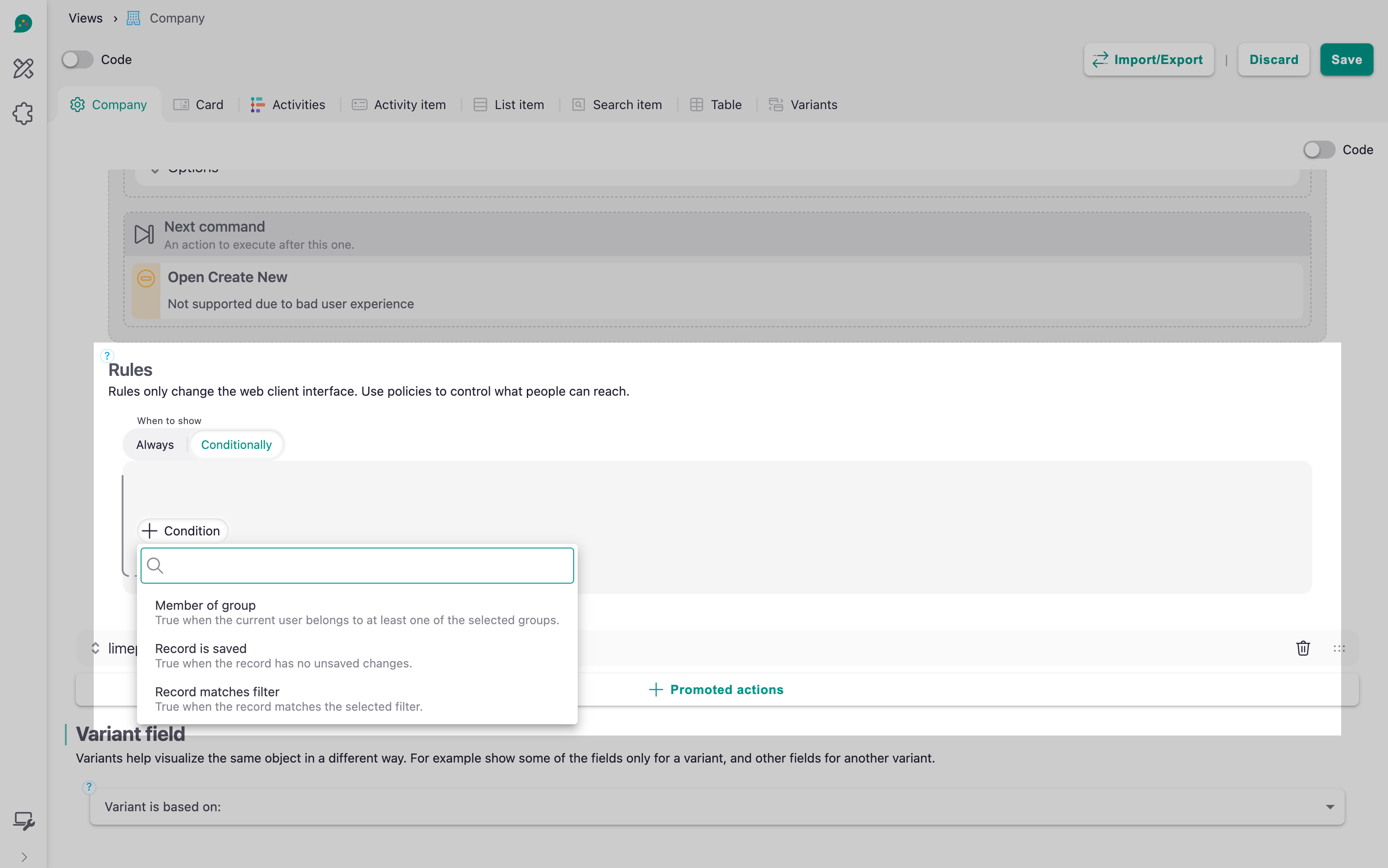
Member of group is available everywhere. The two record rules appear on cards and actions. The two value rules appear where a single value is being displayed, which today means an info tile. See what can carry a rule for the full picture.
Member of group
True when the logged-in user belongs to at least one of the groups you list. Negate it to mean not a member of any of these groups.
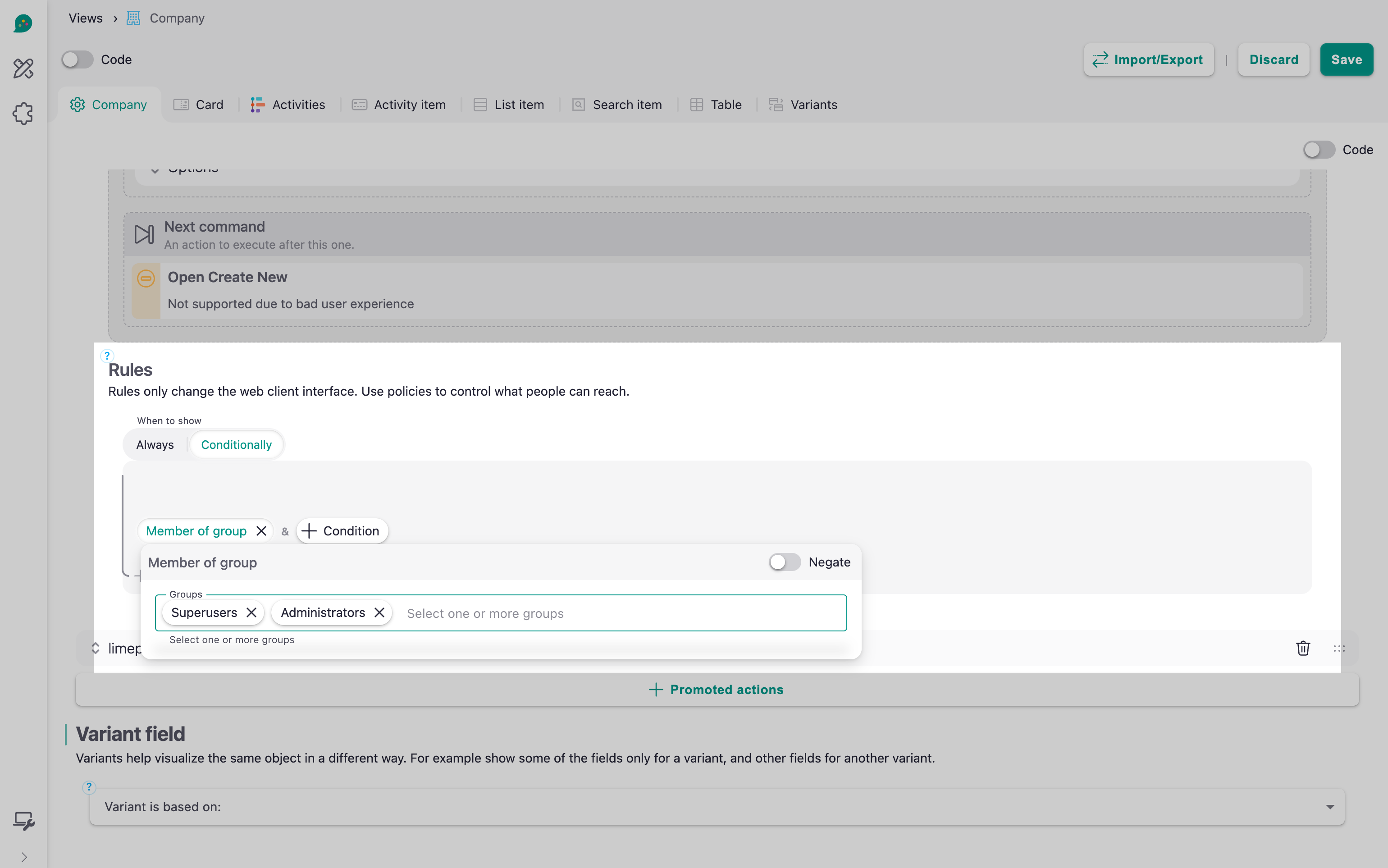
This is how you make something depend on who is looking, without writing a filter for it. When you need the record and the user compared to each other, use Record matches filter with $me instead.
Warning
A rule tidies the interface for a role. It does not keep anyone out. The value stays in the API, in exports and in search. Use Policies to control who may read or change a property.
Record is saved
True when the record has no unsaved changes.
The practical use is telling an existing record apart from one being created, or from one the user is in the middle of editing. Negate it to target the unsaved state — a record in the Add New dialogue, or a card with pending edits.
Take care when this rule controls something the user needs while editing. A section that disappears the moment the first keystroke lands is worse than one that was never there.
Record matches filter
True when the record matches a filter expression. In the rule's settings, add a condition to the filter and pick a Property, an operator and a Value.
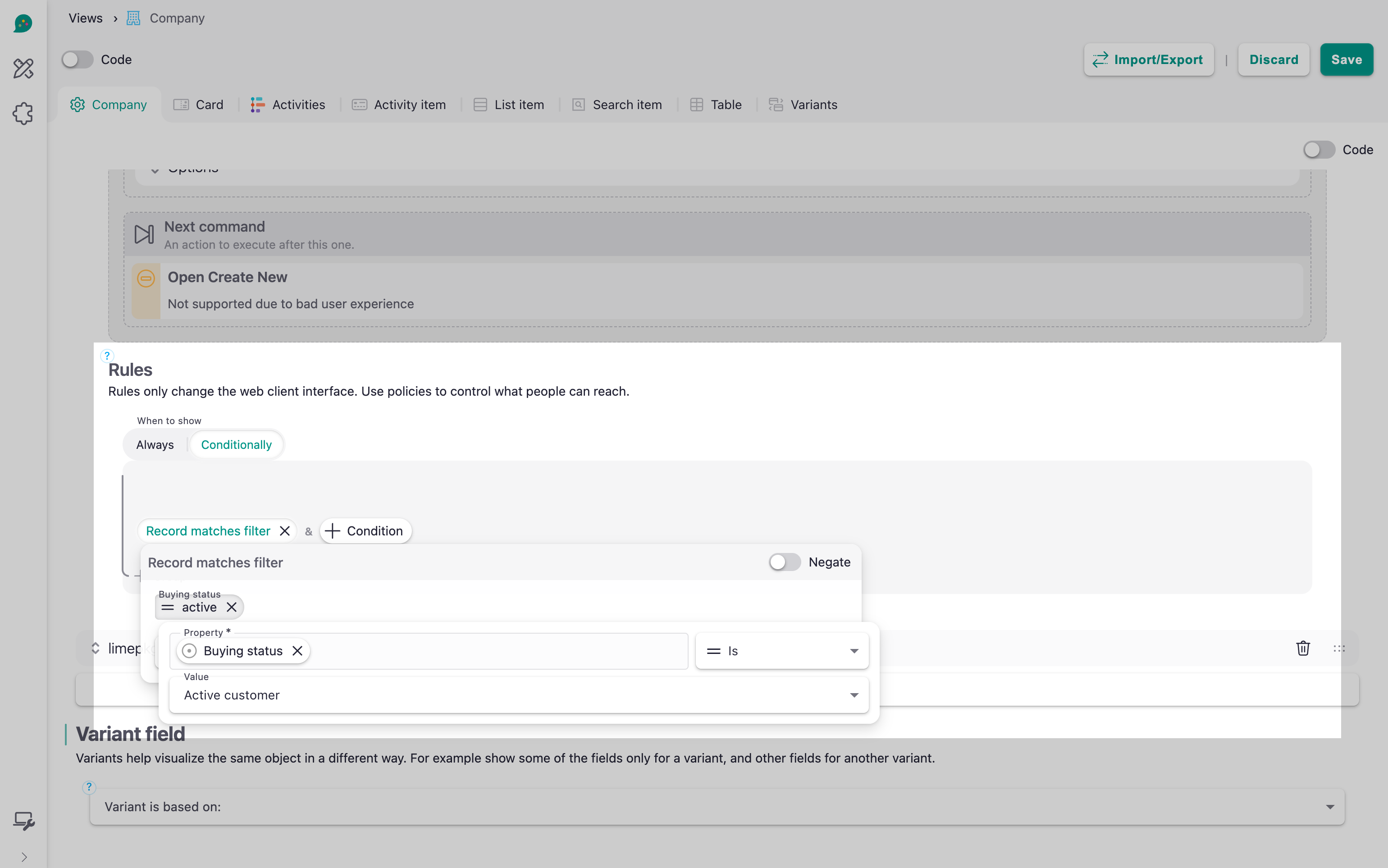
This is the rule that reads the record's own data, and the one most rules end up using: a status, a flag, a value threshold.
Filter syntax
The expression is an ordinary Lime filter. Anything you can express in a filter set you can express here, including $me, $me.<field>, date comparisons and the relative date tokens such as $today and $next_week(2). See Filters for how filters are written and Lime Query for the full operator reference.
What a rule cannot reach
A rule is evaluated in the browser, without asking the server. Three things follow from that.
A reference to a saved filter never matches. A filter that says "is in filter X" cannot be resolved, because that would mean asking the server which records the other filter matches. The rule comes out false, and a warning is logged.
Following a relation depends on what is already loaded. A filter on deal.value does work — the rule follows the relation and looks up the field's type on the related table. But it can only do so if the related record is already loaded on the page. When it is not, the comparison gives no answer and the whole rule comes out false, silently and with no warning. Nothing in the rule fetches the related record for you, so do not build a rule that depends on one being there.
Aggregates are not supported, since they are computed on the server.
Value comparison
True when the value satisfies the selected comparison against a specified value.
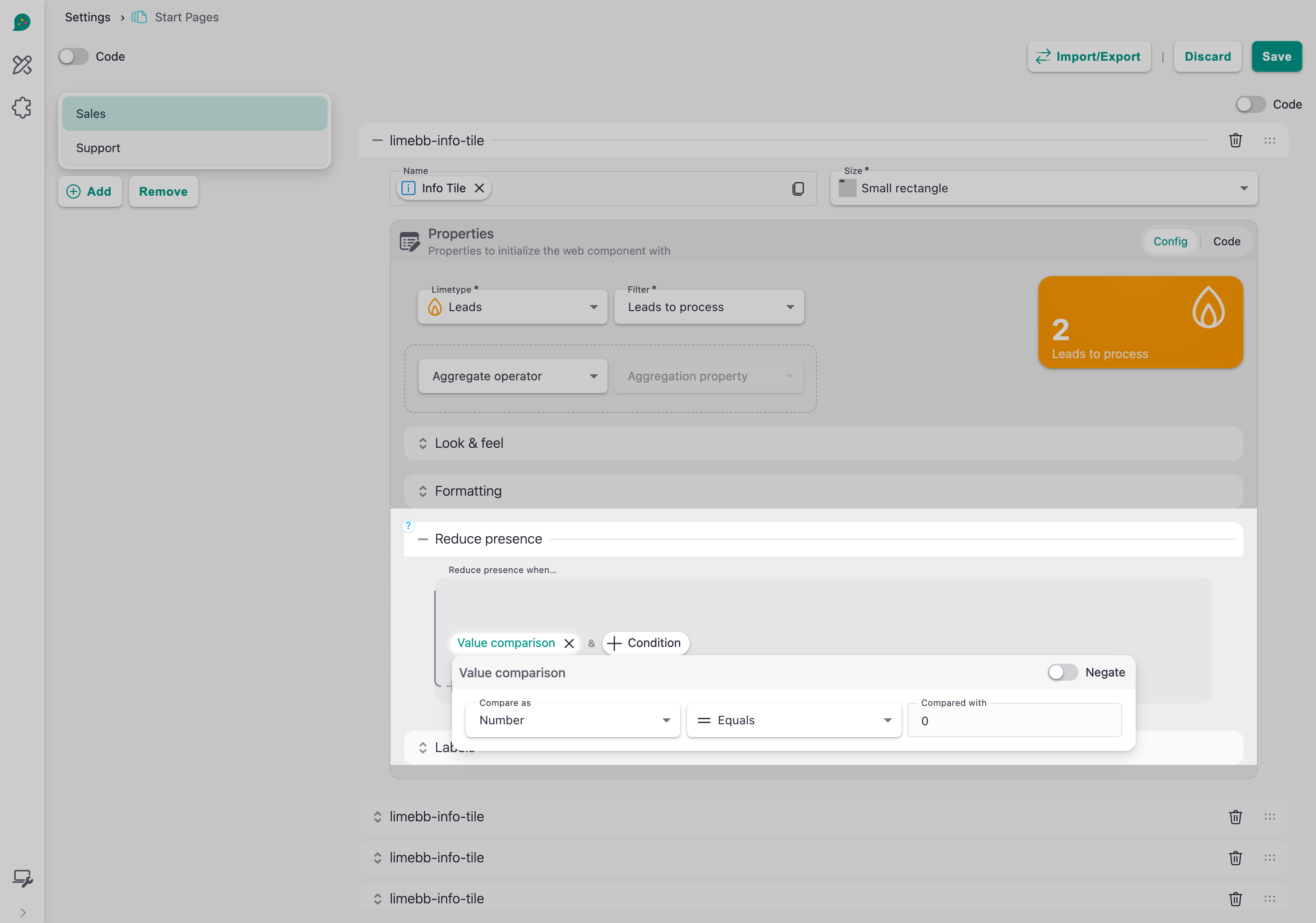
The two value rules are not about a record but about a single number or string on screen. On an info tile that is the aggregated figure the tile displays, which is why these two rules appear there and the record rules do not — a tile on a start page has a value, not a record.
Typical use: an info tile counting overdue tickets should only draw attention to itself when the count is above zero. Give the tile a Reduce presence rule with Value comparison, Compare as Number, Equals and Compared with 0, and the tile steps back whenever there is nothing to count.
Value is empty
True when the value is empty. Negate it to mean has a value.
Writing your own rule
When none of the five fit, a rule can be implemented and registered from a plugin. A rule declares which pieces of context it needs — a record, a value — and then builds a check over them. Once registered it becomes available in the rule picker alongside the built-in ones, on the surfaces that provide the context it asked for.
In code, such a rule is a RulePrimitive, created with definePrimitive and registered with the platform's RuleRegistry service, all from @limetech/lime-web-components. Its id is what the configuration refers to, so prefix it with your own package name, the way the built-in ones use limetech..
A rule cannot be asynchronous. That follows from the same client-side evaluation described above: a custom rule cannot call an endpoint, an external API or the database while it is evaluated.
The older condition registry is still in place behind a compatibility layer, but is deprecated and should not be used for new code.