Change Log
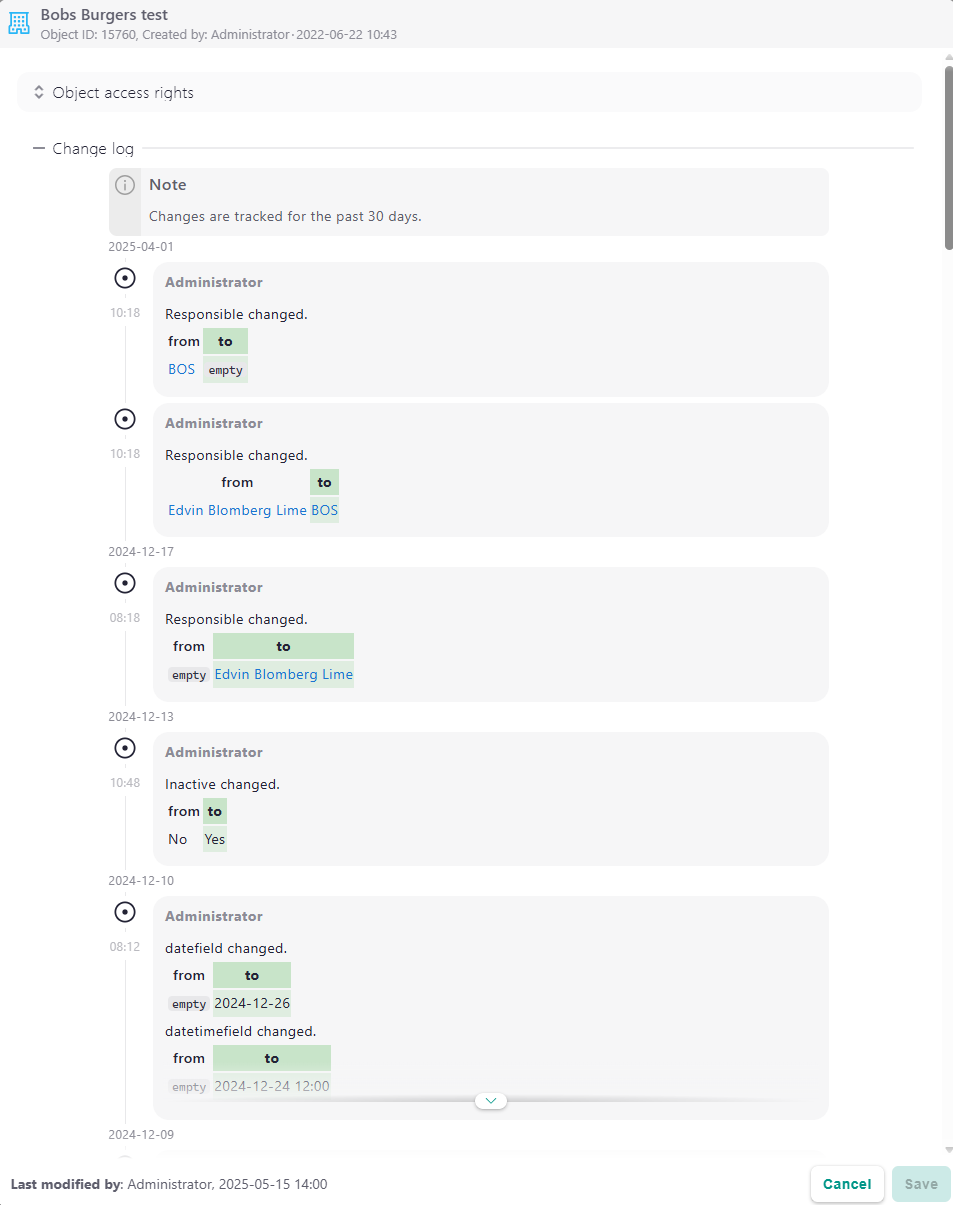
Ever wondered who changed a field, when it happened, or what the value was before? The Change Log is built into the Lime CRM web client and gives you a clear timeline of every tracked update on a record — what changed, who did it, and when, with the value both before and after each change.
This makes it much easier to troubleshoot, double-check details, and recover from changes made by mistake.
Info
The Change Log is available in Lime Cloud. On-premise, it is available from the Samiaa server release. Once available, an administrator enables it per limetype in Lisa (see Enabling the Change Log).
What you'll see
When the Change Log is enabled for a limetype, each record shows a straightforward history of its tracked changes. For every change you can see:
- What was changed — the field, with its value before and after.
- Who made the change.
- When it happened.
Relations, option fields, dates and yes/no fields are shown with their readable, formatted values — the same way they appear on the object card — not their raw stored values.
Where to find it
The Change Log lives in the Info panel of each record:
- Open any record.
- Open the Unpromoted actions menu (the ⋮ button in the upper-right corner).
- Choose Info.
The log is integrated below the standard details. If logging is not enabled for that limetype, the panel instead shows a message explaining how to enable it.
Retention
In Lime Cloud, tracked changes are kept for 30 days by default. The retention period is shown in the Change Log itself, so users always know how far back the history goes.
Enabling the Change Log
Logging is turned on per limetype by an administrator in Lisa (the database designer):
- Open Lisa from Lime CRM Admin → Settings → Lisa.
- Go to Tables and select the limetype you want to track.
- Open its Properties and enable Log Changes.
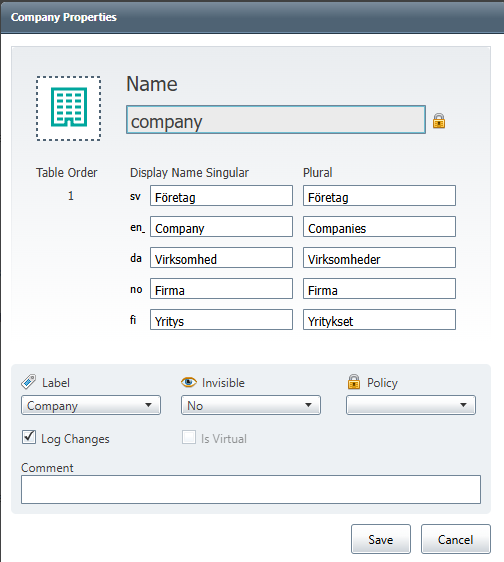
From that point, changes to objects of that limetype are tracked automatically and become visible in the Info panel of the web client.
Enable it where it brings the most value
Enable logging on the limetypes that matter most — the key objects your business depends on — rather than everywhere. This keeps the change history focused and relevant.
For more about the database designer, see Lisa.