Designing with Rules
A card accumulates fields. Every use case that has ever needed a field has left one behind, and each one is relevant to someone, sometimes. The result is a card where everybody scrolls past most of it.
Rules let a card carry everything it needs without showing everything at once. The information is not removed — it is held back until it is worth reading. Two things this gives you:
- Less noise. Users see the part of the record that is in play.
- Fewer limetypes and fewer variants. One card can serve a whole lifecycle instead of being split up to keep each stage readable.
Showing and hiding things is also powerful enough to make a mess. This page is about staying on the right side of that.
Rules or variants?
Variants answer what a record is. Rules answer what matters right now.
| Variants | Rules | |
|---|---|---|
| The question | What kind of record is this? | What is relevant right now? |
| Lifespan | Set early, rarely changes | Changes through the lifecycle |
| Typical driver | Type, category, business unit | Status, field values, role |
A customer and a supplier are both companies, but they are not the same thing to the people working with them — that is a variant. Same for a send-out and a trade fair on a marketing activity. A company that has been synced to the business system is still the same company, now with more to show — that is a rule.
Info
Variants are the wrong tool for a property that changes over time, such as Deal Status or Ticket Status. Rules are built for exactly that case.
Do and don't
Prefer the larger unit
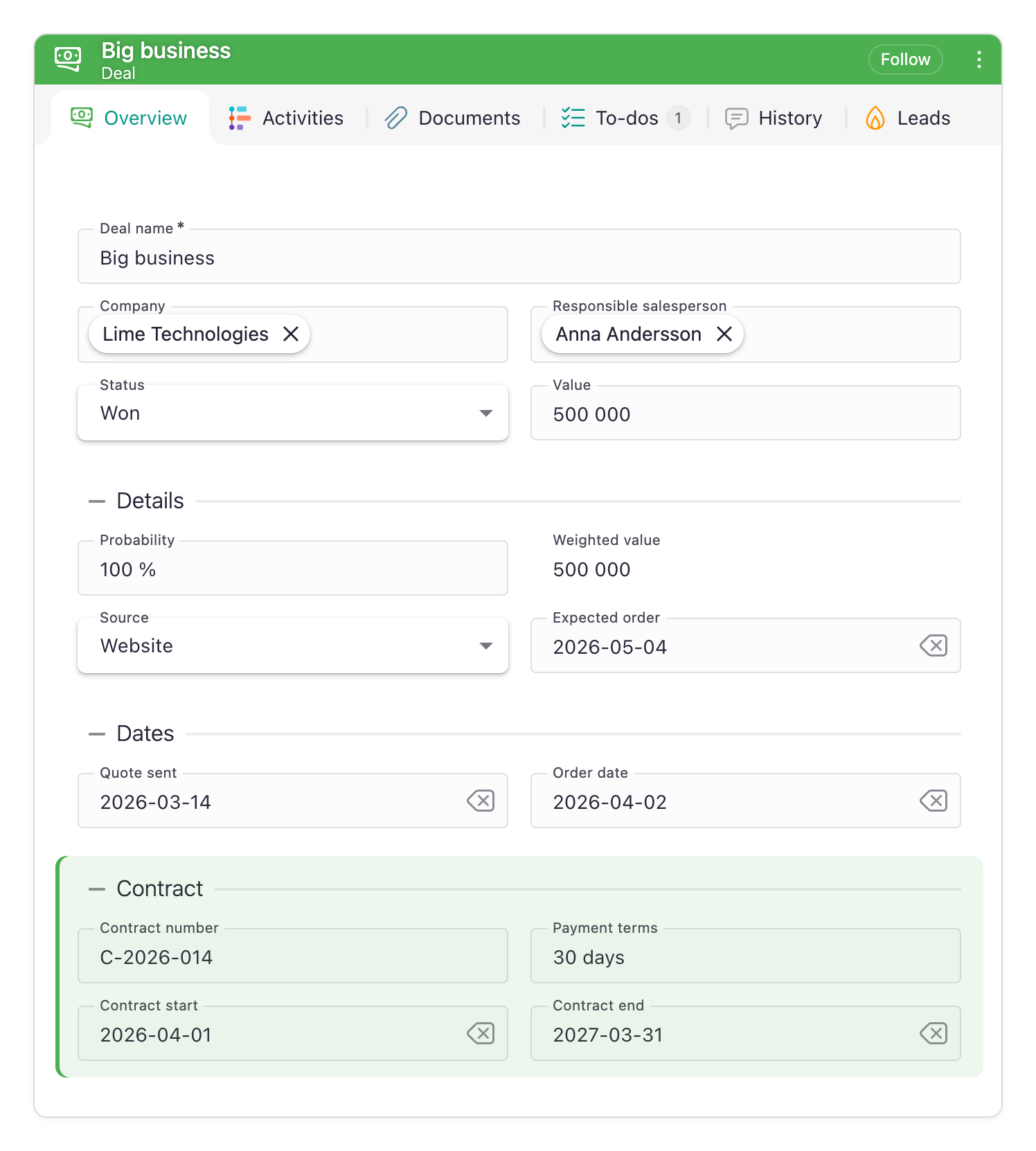
Put the rule on the largest thing that makes sense: the section rather than its fields, the browse menu section rather than its items, the start page rather than what is on it.
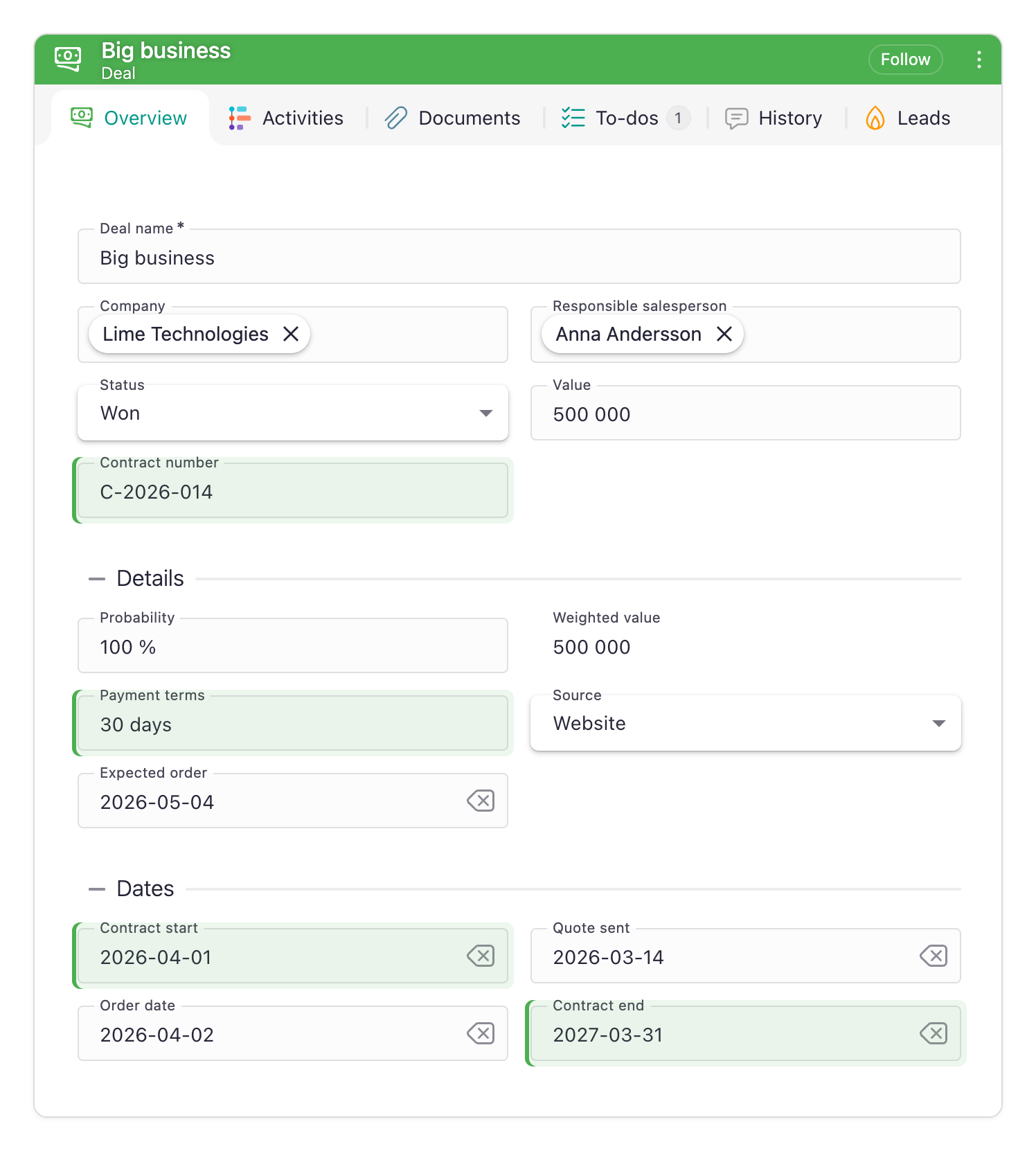
This holds whichever way the rule goes. A field that is hidden leaves a hole, and the fields around it close up. A field that is shown pushes them apart. Either way the layout the user has learned comes apart, in every section that holds one of the fields. A section appears or disappears whole, in one place, and everything else stays where it was.
The larger unit is also cheaper to live with. A rule belongs to the item it is set on, so the same rule spread across eight fields is eight places to change when the process changes. On the section it is one.
The start page is where the platform makes this choice for you. A rule decides whether a user gets a given start page, but no widget on it can be hidden by a rule — widgets carry the layout, so removing one would rearrange the whole page. Give a role a different start page rather than reshaping one. That is the same advice, one level up.
The exception makes the point rather than breaking it. An info tile can carry a Reduce presence rule, which dims the tile in place. The effect exists because hiding was never an option: a tile that has nothing to say should stop competing for attention without leaving a hole where it was.
| 
|
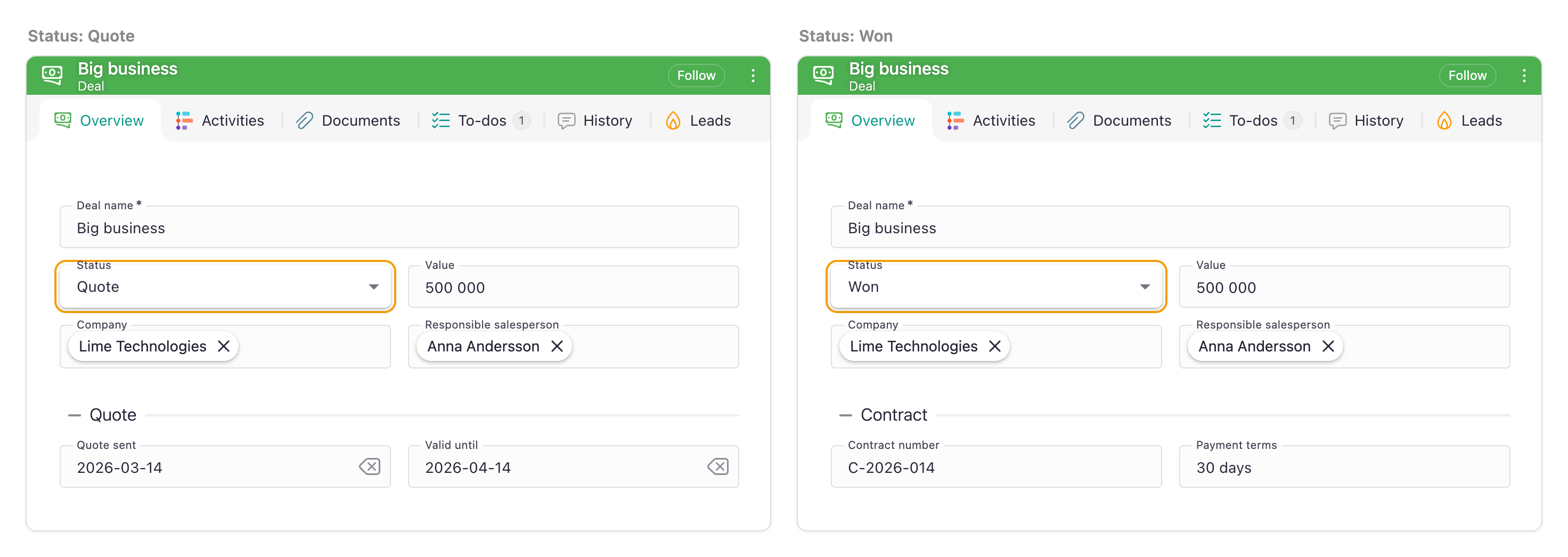
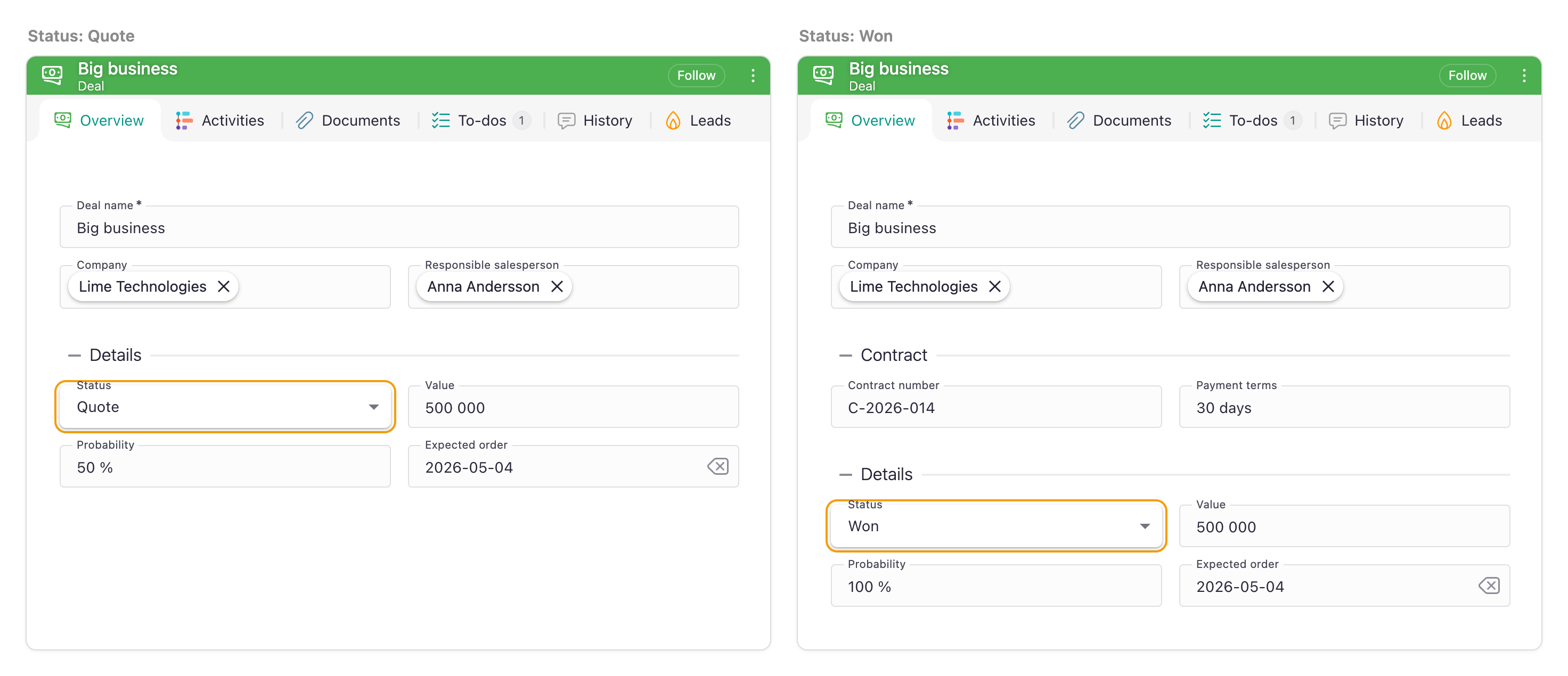
| ✅ Do. When the deal is won, the contract details appear together, as a section of their own. One rule in one place, and nothing the user had already found has moved. | ❌ Don't. The same contract fields, each with a rule of its own, appear wherever they were placed. Four rules spread over three sections, and the fields around them are pushed out of place. |
Add, don't rearrange
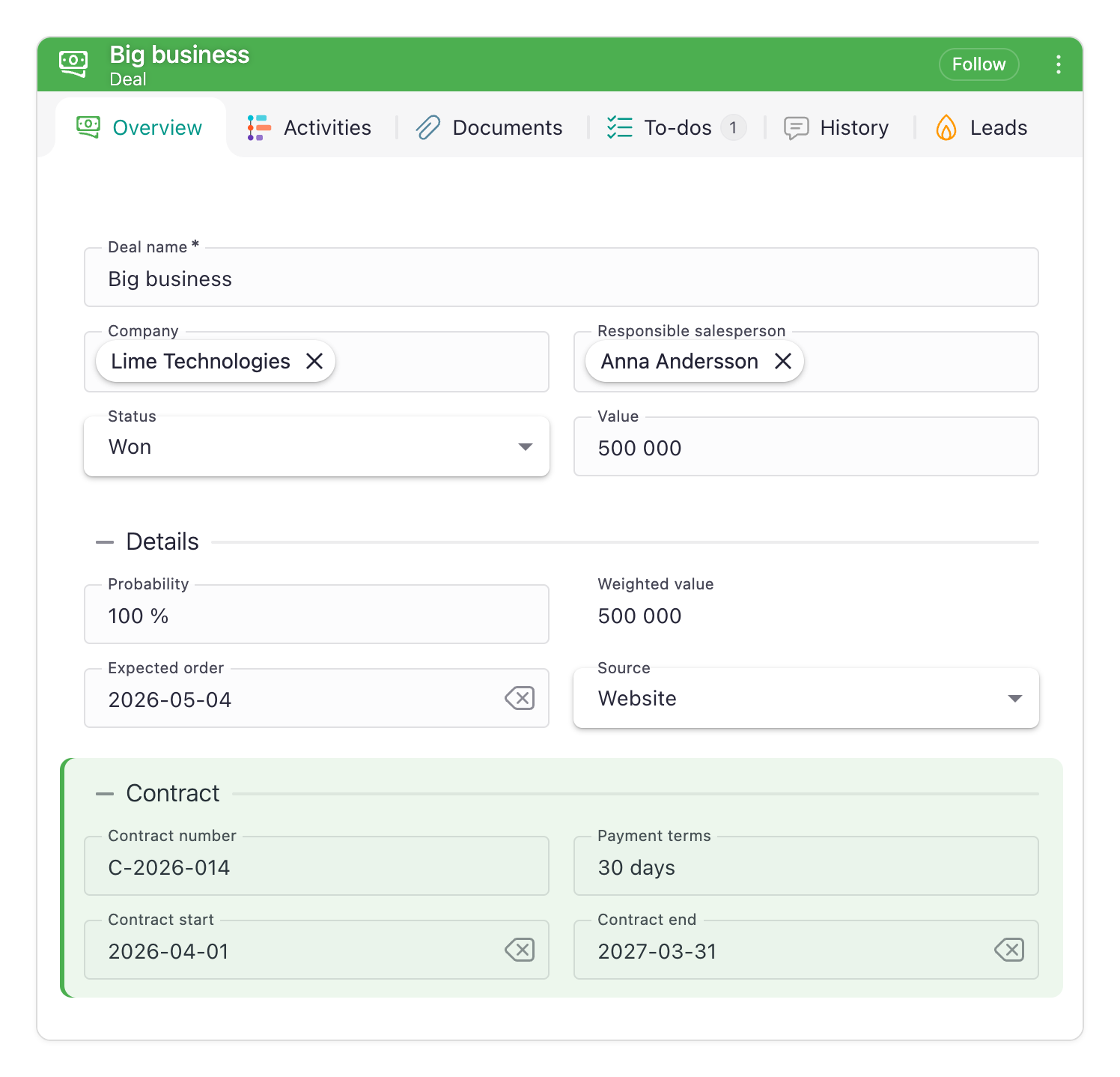
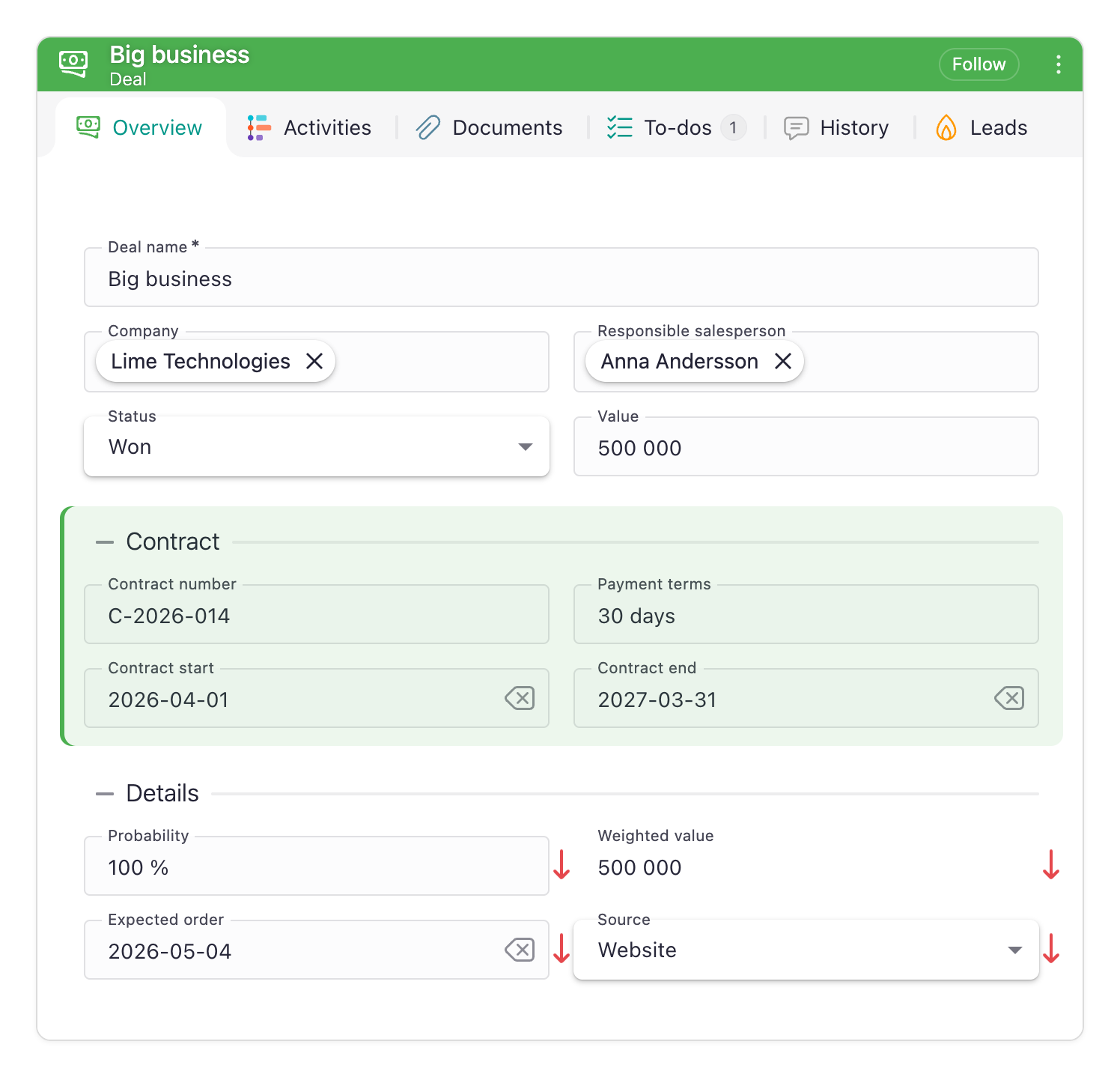
Let a rule reveal a new section below what is already there. Never let it reorder or reflow the card. Muscle memory is worth more than a tidy layout.
Keep the default state lean, so that a rule turning true adds to what the user sees. This is the same principle as Try to show, not hide for variants.
| 
|
| ✅ Do. Winning the deal reveals Contract at the bottom of the card. Nothing the user had already found has moved. | ❌ Don't. Contract appears in the middle of the card, and every field below it is pushed down. |
Keep the cause visible
The field the rule depends on — usually status — belongs on the card, in the same place, in every state. If users cannot see the cause, they cannot predict the effect.
|
| ✅ Do. Status sits in the same place in both states. Only the section below it changes, so the user can see what caused the change. |
|
| ❌ Don't. Status sits inside Details, and Details moves when Contract appears above it. The cause of the change moves along with its effect. |
Never hide a field that has a value
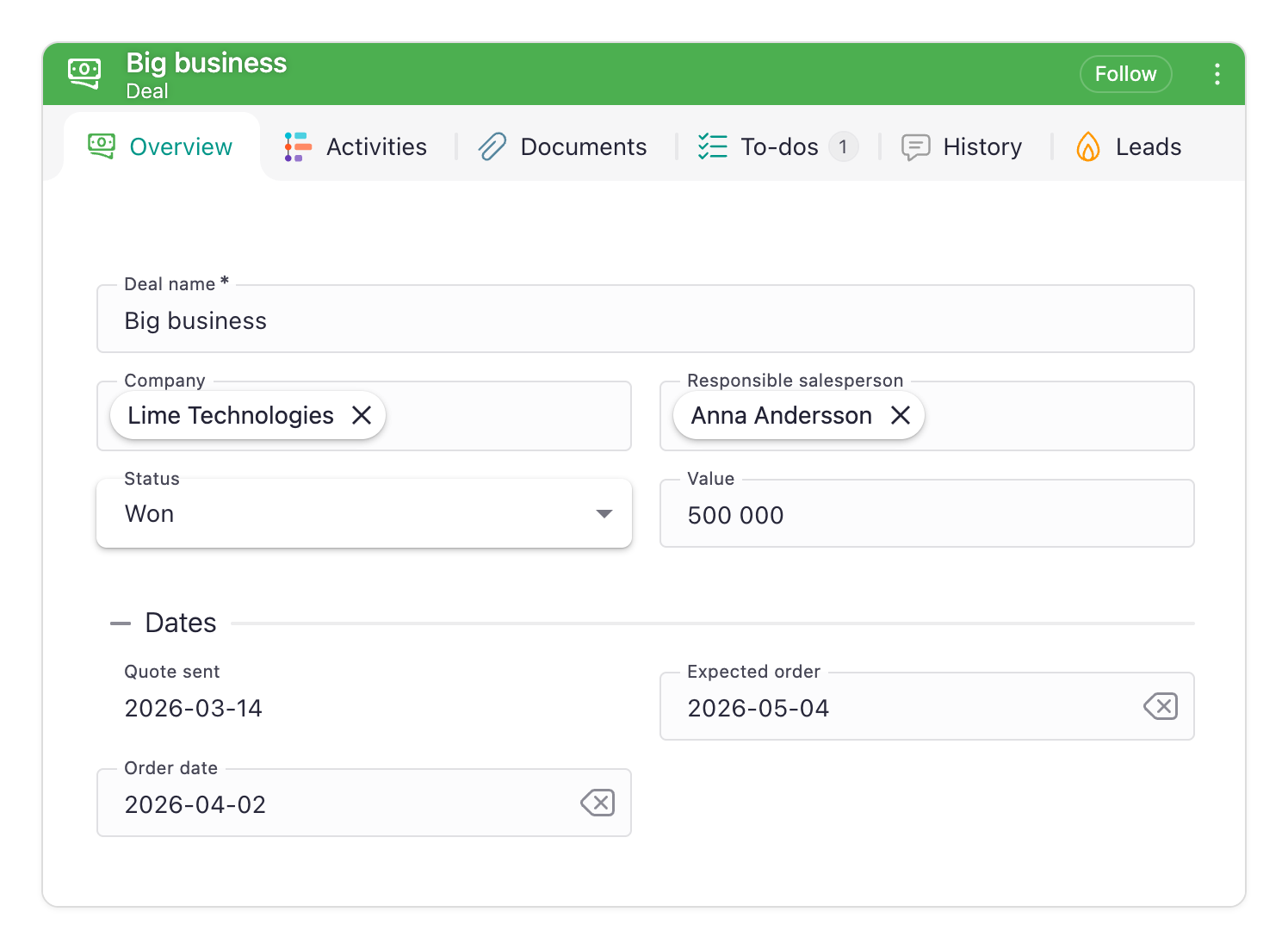
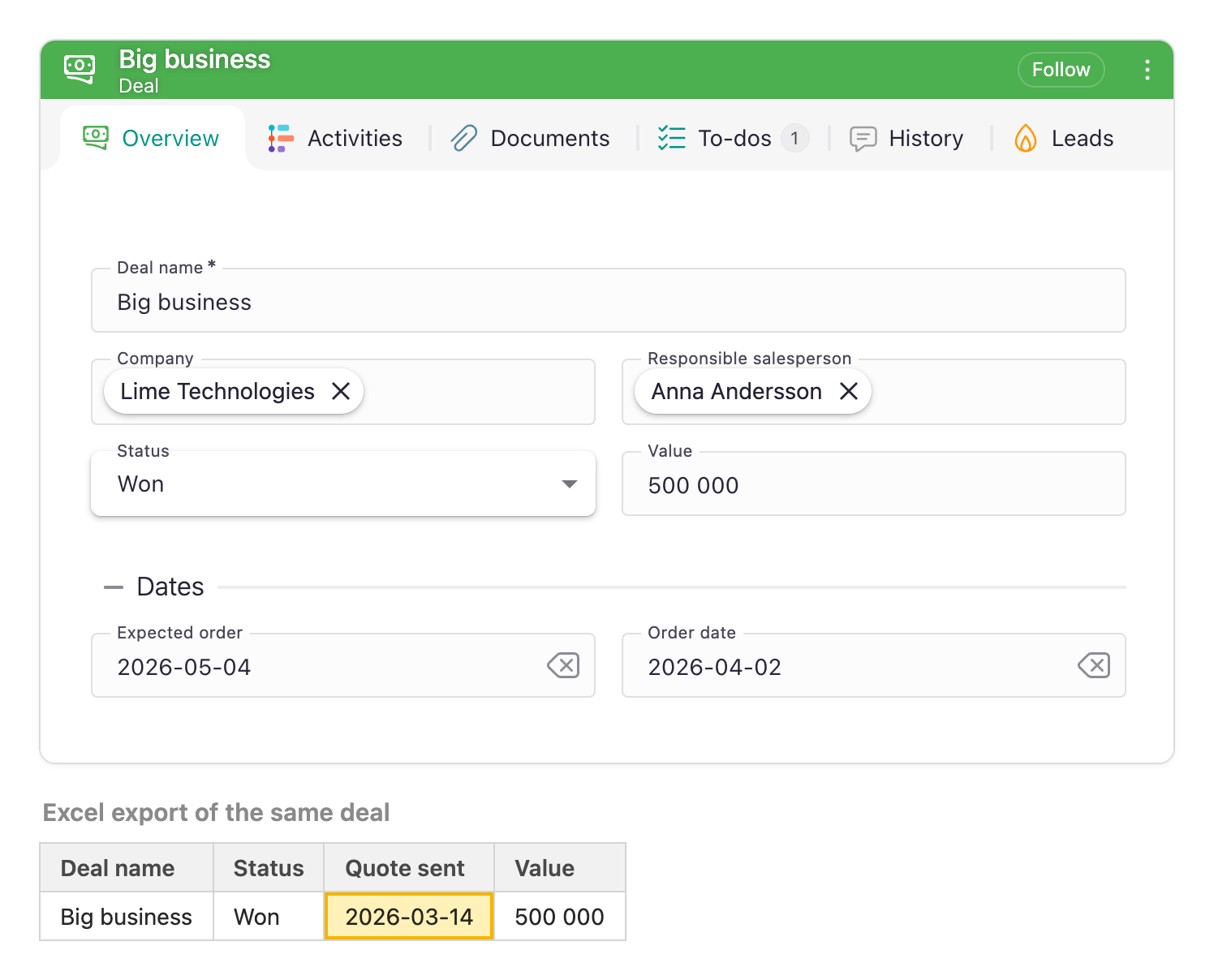
Hidden data is data nobody checks. It still exports, still reports, still turns up in a meeting six months later. If a filled-in field falls outside the current stage, make it read-only rather than removing it — a field carries a When to make read-only rule of its own, so this costs the same as hiding it.
| 
|
| ✅ Do. Quote sent stays on the card once the deal is won, read-only. The date that is in every export is also on the screen. | ❌ Don't. Quote sent disappears when the deal is won, but the export still carries the date. Nobody looking at the card can check it. |
Visibility is not permission
Hidden is not protected, and neither is read-only. The value stays in the API, in exports and in search. A field made read-only by a rule can still be written through the API, and a field made required can still be left empty by an import. A Member of group rule tidies the card for a role; it does not keep anyone out. Use Policies to control who may read or change a property.
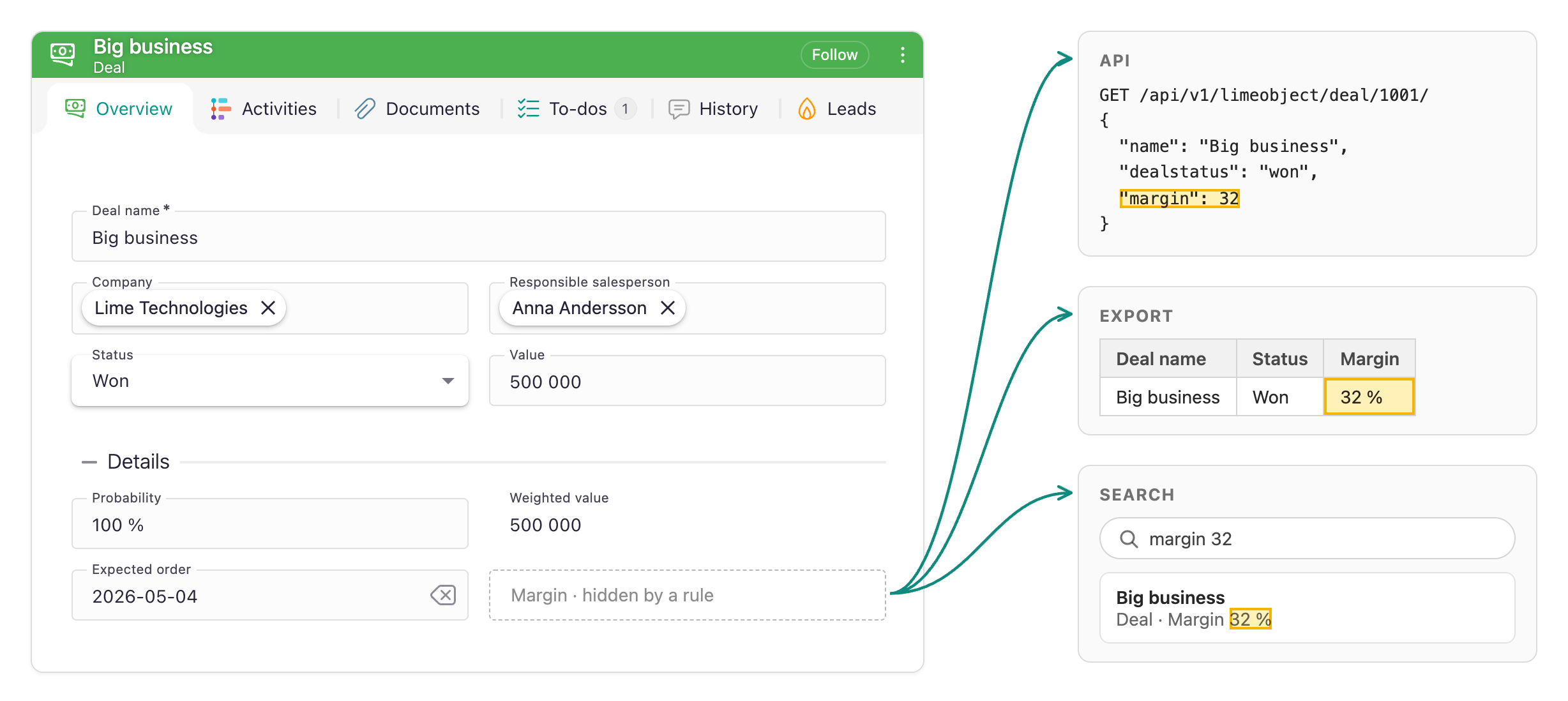
Visibility, guidance, or automation?
Showing and hiding a field is usually the first solution people reach for when a process is not being followed. It is rarely the one that fixes it.
Take Quote sent (date), revealed when status becomes Quote. The field appears — and nothing else happens. Nobody is asked to fill it in, and nothing stops the record from moving on without it.
For that problem there are stronger tools:
- Let the system fill it in. If the quote is sent from Lime, set the date automatically. Never ask a person for something you already know.
- Ask at the moment of change. A dialogue or pop-over when status is set catches the user while they are still thinking about it.
- Require it on the way out. If the date is needed once the record reaches the Quote stage, give the field a When to make required rule that turns true there.
Note that the third of those is itself a rule. Visibility is the part of this feature that is easy to misuse; the field states are what you actually want when the goal is to get something filled in.
A rule controlling visibility is the right tool when a section is genuinely irrelevant in the current state and would only be clutter. It is the wrong tool for making something happen.